Local console
Your dashboard runs locally
Novence has no hosted control panel. Agents generate a local account console from the API — plan, quotas, projects, and billing — without ever putting your nv_ key in the browser.
What it is
The “dashboard” is an HTML file — typically novence-console.html — written from GET /v1/account/console-kit. The core deploy loop never requires it. Use it when you want a visual board for quotas and projects. Details and curls also live in /docs#console.
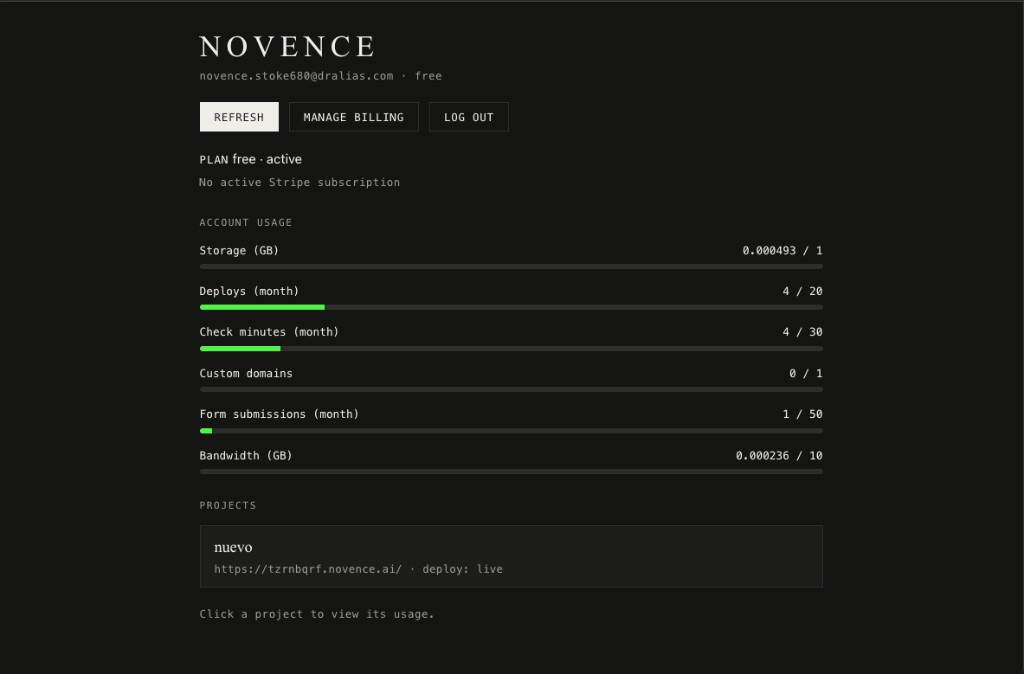
Account usage
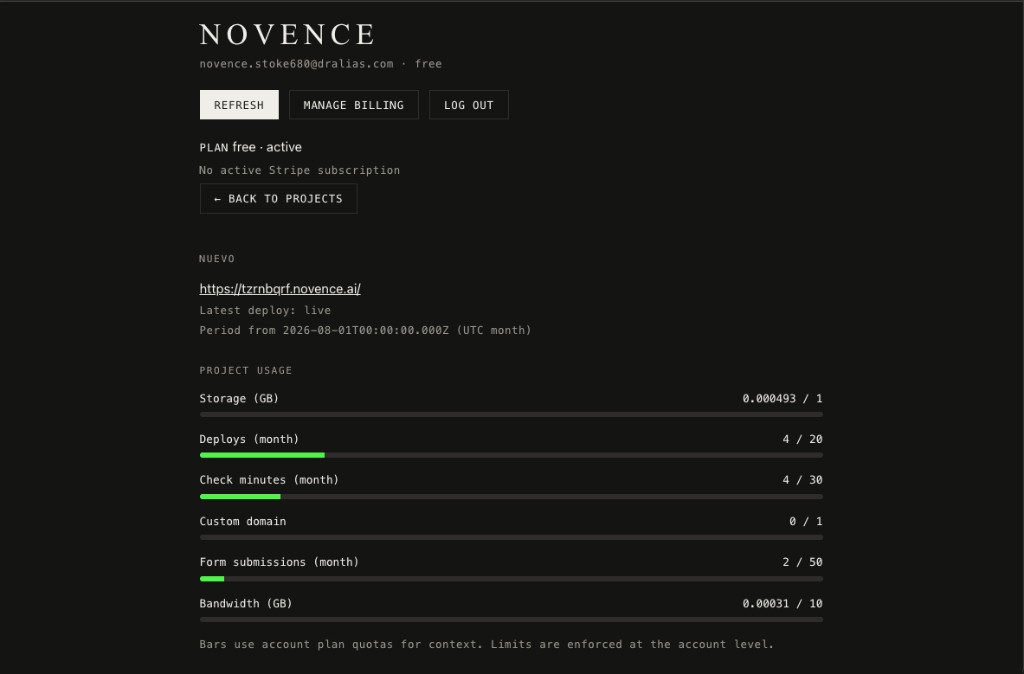
Bars for storage, deploys, check minutes, custom domains, form submissions, and bandwidth against your plan caps. Click a project for cookieless traffic (pageviews, 404s, top pages).
Projects
List owned and shared projects with live URLs, deploy status, and your role.
Members
Invite collaborators on Pro/Scale (5/20 seats per project). Invites land on /invite. Each member gets their own project-scoped nv_ key — never share the owner's.
Billing actions
Manage billing opens the Stripe Customer Portal. Plan status and subscription hints sit above the usage board.
How to access it
Step 01 · Fetch the kit
GET https://api.novence.ai/v1/account/console-kit with your nv_ key — or MCP get_account_console_kit. You get a snapshot, htmlTemplate, and serve instructions.
Step 02 · Open a browser session
POST /v1/account/sessions → short-lived mgmt_ token (account:read, billing:portal, project:members). Never put nv_ in the HTML.
Step 03 · Write & serve locally
Write novence-console.html from the template as-is (inject snapshot + mgmt_ only). Serve on http://127.0.0.1 — not file:// — so Refresh works.
Humans without the key: POST /v1/account/sessions/request + …/verify with email OTP. Security notes: /security.
What’s available
- Account board: email, plan (Free / Pro / Scale), verification, storage, deploys, check minutes, domains, form submissions, bandwidth
- Projects: name, live URL, deploy status — click for project-level usage against the same plan quotas
- Actions: Refresh snapshot, Manage billing (Stripe portal), Log out. Quotas alias:
GET /v1/billing/quotas
What it looks like
Dashboard FAQ
Is there a hosted Novence dashboard in the browser?
No. By design there is no login.novence.ai console. The account UI is a local HTML file your agent (or you) generates from GET /v1/account/console-kit and serves on http://127.0.0.1.
How do I open the dashboard?
Ask your agent for the console-kit, or call GET /v1/account/console-kit with your nv_ key, write novence-console.html from the htmlTemplate, create a mgmt_ session, and serve it locally (e.g. python3 -m http.server). Do not open file://.
What can I see in the dashboard?
Plan and verification status, account-wide quotas vs usage, projects (owned and shared), members, Refresh, Manage billing (Stripe portal), and Log out.
Can humans use it without an agent?
Yes. Request an email OTP with POST /v1/account/sessions/request, verify with …/sessions/verify to get a mgmt_ token, then load a console HTML that uses that session — or have an agent write the kit once and reuse the human OTP path later.
Generate your console
Agents: ask for console-kit. Humans: follow the curls on docs.